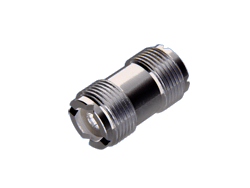
Photograph both sides
Take front and side views of the connector and a wider shot showing where it connects. Place a ruler beside it for scale. Keep objects out of the connector.
Look for markings
Write down the radio or antenna make and model. Look for a part number on the cable or packaging. Even a partial marking can help identify the part.
Describe the connection
Tell us which two pieces of equipment you’re connecting. Are you replacing a broken part, extending a cable or adapting a setup? Similar-looking connectors aren’t always compatible.
Check before ordering
Attach your photos to the quote request form. If you’ve already submitted your request, email the photos to distribucomm@outlook.com and include your reference number.